Resources, best practices
and expert insights for data governance, compliance and information security.
Practical datasheets, white papers and FAQs covering unstructured data, Microsoft 365, data classification, the DataGovernance Suite and modern data governance.
Your Knowledge Hub
for Data Governance
Our resources provide practical guidance, expert knowledge and actionable insights for organisations looking to achieve greater visibility, control and security across their unstructured data.
They focus on the real-world challenges organisations face every day when managing unstructured data.
Expert knowledge for every stage of your data governance journey
Every organisation is at a different stage of its data governance journey. While some are focused on gaining visibility into their unstructured data, others are already addressing challenges such as data classification, regulatory compliance, Microsoft 365 governance, information lifecycle management or AI readiness.
Our Resources hub helps you find the right information for your current challenges while preparing your organisation for future data governance, compliance and information security requirements.
Guidance for navigating
a complex data landscape
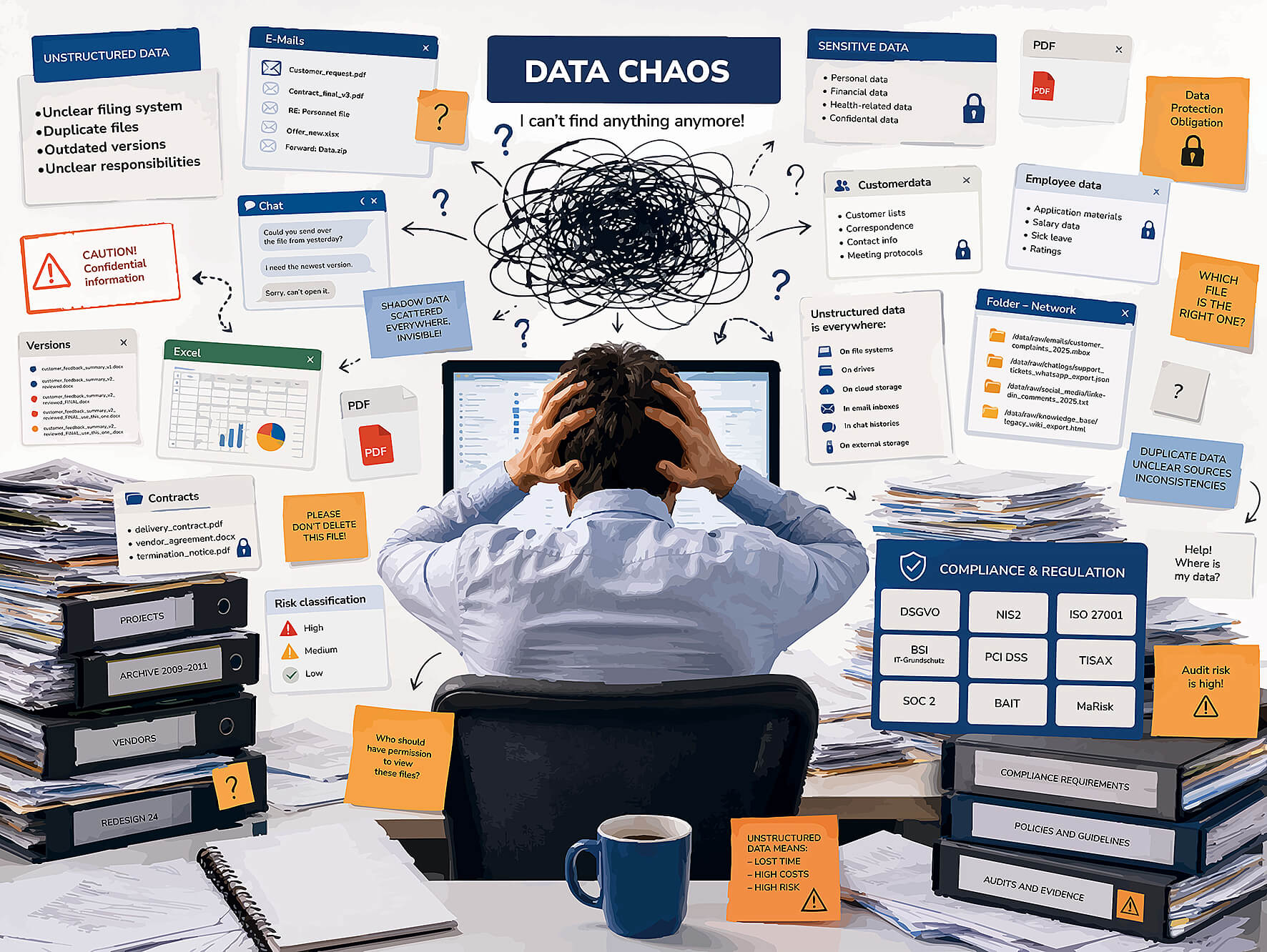
Today, data is distributed across a growing number of systems and platforms. File servers, SharePoint, Microsoft Teams, OneDrive, Exchange and other business applications generate vast amounts of new information every day.
As data volumes continue to grow, so does the complexity.
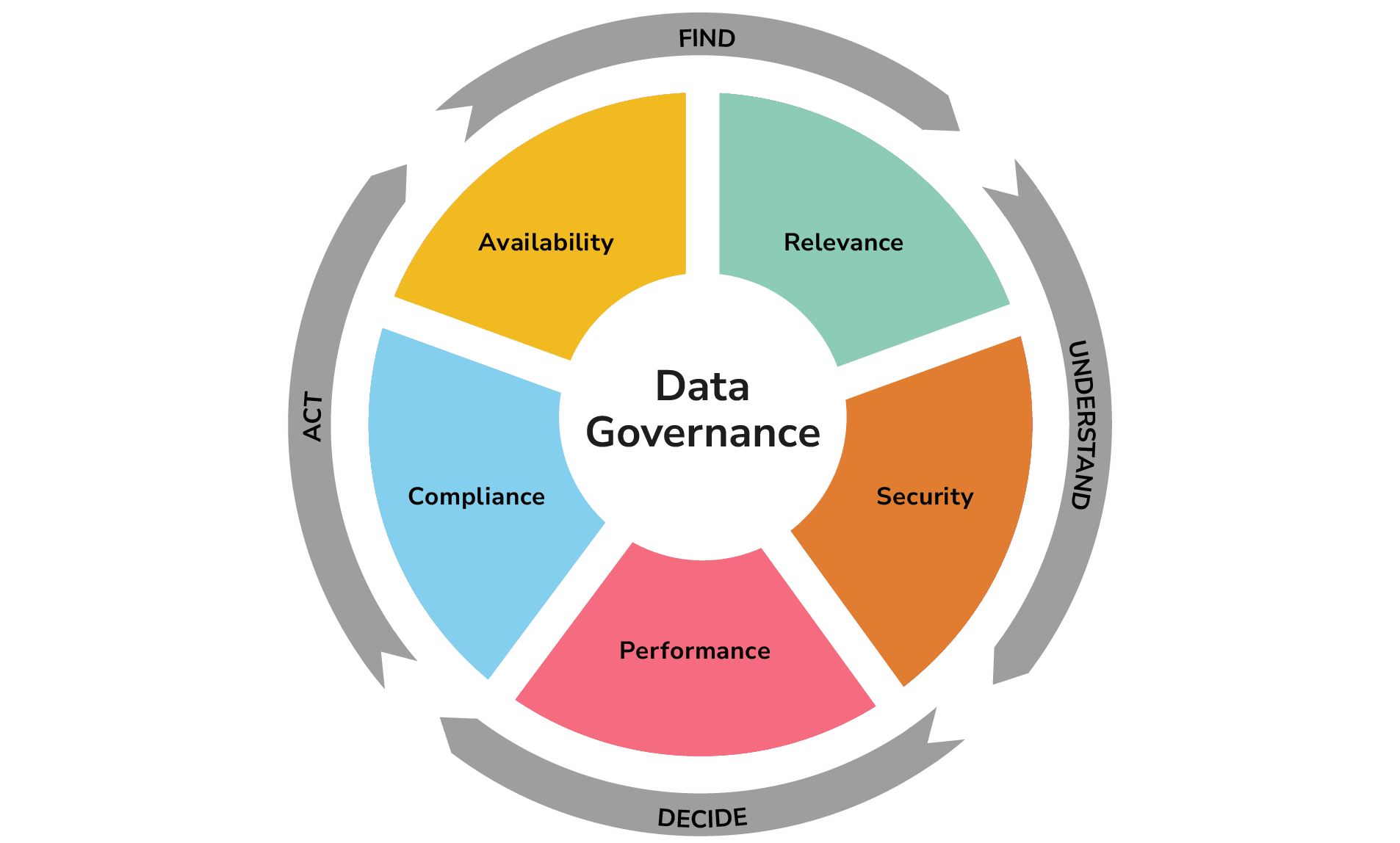
That’s why we provide expert guidance and practical insights into the most important topics in modern data governance and the management of unstructured data, including:
Visibility into your data assets
Understand what data you have, where it is stored and the risks it presents across your organisation.
Data classification & information protection
Learn how to identify, classify and protect sensitive information to strengthen data governance, improve compliance and reduce security risks.
Information security and cyber resilience
Learn how to identify data risks, strengthen security measures.
Data protection and compliance
Learn how organisations can meet regulatory requirements efficiently, consistently and with confidence through greater visibility, auditable processes and effective data governance.
All Datasheets:
DG Professional Services
Discover how DGprofessional™ helps organisations deliver data assessments, data clean-up, data classification and migration projects with the support of experienced consultants.
DSPM
DGcomplete™ DSPM provides complete visibility into unstructured data, identifies security risks and compliance gaps, and enables organisations to manage their data securely and efficiently throughout the entire information lifecycle.

GDPR Compliance
Learn how to reliably identify personal data within unstructured data, minimise data protection risks and meet GDPR requirements efficiently through automated data discovery, classification and governance processes.

Data Classification
Bring order to your unstructured data. DGunique™ automatically classifies millions of files and emails, identifies sensitive information and provides the foundation for stronger compliance, enhanced security and efficient information lifecycle management across Microsoft 365 and hybrid IT environments.

DGS Suite
Gain complete visibility into your unstructured data. The DataGovernance Suite analyses, classifies, protects and manages millions of files, documents and emails, helping organisations strengthen security, simplify compliance and streamline data governance across Microsoft 365 and hybrid IT environments.

Storage Optimisation
Optimise your storage costs without losing valuable data. DGassist™ analyses millions of files, identifies duplicates, obsolete and redundant data, and automates data clean-up, archiving and migration, helping organisations reduce storage costs, improve compliance and manage unstructured data more efficiently.

DG360° Data Assessment™
Gain complete visibility into your unstructured data. The DG360° Data Assessment delivers a comprehensive analysis of your data assets, security risks and optimisation opportunities within just a few days, providing a solid foundation for informed decisions, stronger compliance and effective data governance.

DGcomplete for MS Information Protection
Protect sensitive data with Microsoft’s security capabilities, intelligently and automatically. DGcomplete™ identifies, classifies and protects sensitive information, enabling organisations to implement data protection, Data Loss Prevention (DLP), Microsoft Information Protection (MIP) and Information Rights Management (IRM).

DGassist™ for SharePoint/Office365 Migration
Migrate your data to SharePoint or Microsoft 365 securely and without disruption. DGassist™ automates data preparation, clean-up and migration, providing complete visibility, control and governance throughout the entire migration process while reducing risk, complexity and project effort.

SharePoint and Office365 Cloud
Manage your data across SharePoint and Microsoft 365 from a single platform. DGcomplete™ delivers complete visibility, automates data discovery, governance and migration, and helps organisations strengthen security, simplify compliance and maintain full control.
Coming soon
All Whitepapers:
FAQ
Find answers to frequently asked questions about the DataGovernance Suite, as well as data governance, Microsoft 365 governance, data classification, enterprise search, compliance, information security and the management of unstructured data. Our FAQs provide practical answers to common challenges in managing unstructured data and help organisations successfully implement their data governance initiatives with greater confidence, efficiency and compliance.
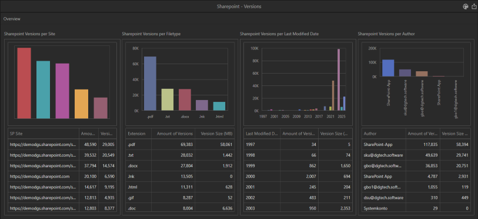
With the DataGovernance Suite (DGS), organisations can analyse SharePoint documents together with their major and minor versions, enabling outdated or unnecessary versions to be identified and selectively removed. Using flexible filtering rules, versions can be selectively deleted based on age, number of retained versions or other criteria, enabling organisations to implement precise version retention policies that align with business, compliance and operational requirements. The clean-up process can be fully automated and scheduled to run at regular intervals, ensuring SharePoint version history remains under control while reducing storage consumption, improving governance and supporting compliance requirements.
The DataGovernance Suite (DGS) provides multiple ways to classify data across traditional file servers and Microsoft 365 environments, including SharePoint and OneDrive. This enables organisations to identify, categorise and govern unstructured data consistently across hybrid IT environments. Classification can be performed either manually by business users or automatically based on predefined policies and rules, enabling organisations to apply consistent data classification across their entire information landscape. This enables even very large volumes of data to be classified consistently and continuously across the organisation, improving data quality, compliance and governance over time. The solution supports both custom classification schemes and seamless integration with Microsoft Information Protection, Microsoft Purview and other security and compliance solutions, enabling organisations to leverage existing security investments while enhancing data governance across hybrid IT environments.
Enterprise search provides a single, central point of access to information that is otherwise distributed across multiple repositories and systems, enabling employees to find relevant content quickly, regardless of where it is stored. The value lies not in moving all data to a new location, but in making existing information easier to find, more complete and accessible in the right business context, regardless of where it is stored.
Enterprise search must never bypass existing access permissions. Enterprise search ensures that employees only see the documents, emails and files they are already authorised to access in the original source systems. Existing access permissions are consistently enforced and never bypassed, ensuring the secure and compliant discovery of information across the organisation. For this reason, it is essential that existing user accounts, roles and access permissions from connected systems are preserved and enforced for every search query, ensuring employees can only discover information they are authorised to access.
The system can centrally index unstructured content from multiple data sources and combine it with structured information such as metadata, business objects, tags, classifications and regular expression (RegEx) patterns. This creates a unified enterprise search experience that delivers more accurate, context-rich results across file servers, Microsoft 365 and other connected systems. Crucially, the content is not stored in Solr solely as full text. During crawling, it is enriched with technical, business and security-relevant attributes, enabling more precise search results, contextual filtering and permission-aware access.
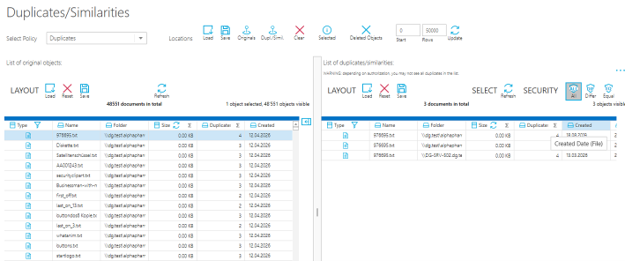
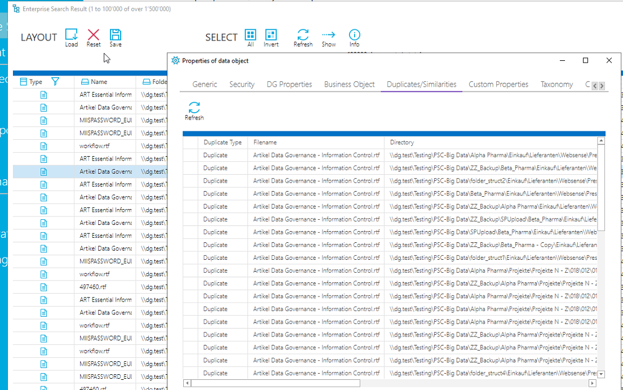
The DataGovernance Suite (DGS) identifies duplicate files across file servers, SharePoint and Exchange, both on premises and in Microsoft 365, including duplicates stored across different systems. Detection is based on a unique file signature, enabling identical copies of a file to be identified reliably regardless of where they are stored.
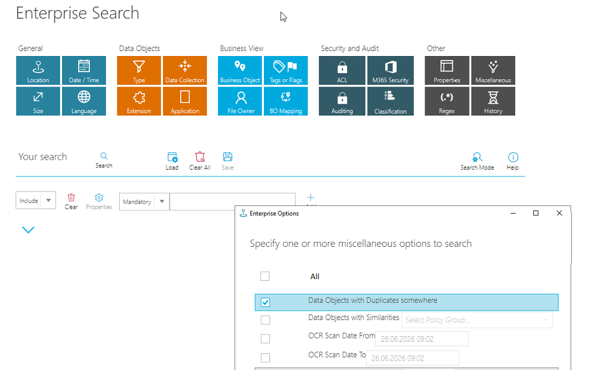
Users can view duplicate files in two ways:
- Directly within the DGS Fat Client, either for individual files or through a comprehensive duplicate overview covering the entire data estate.
- Through Enterprise Search, allowing users to find duplicate files only within the data repositories and systems they are authorised to access.
All duplicate files
For individual data assets
Through Enterprise Search
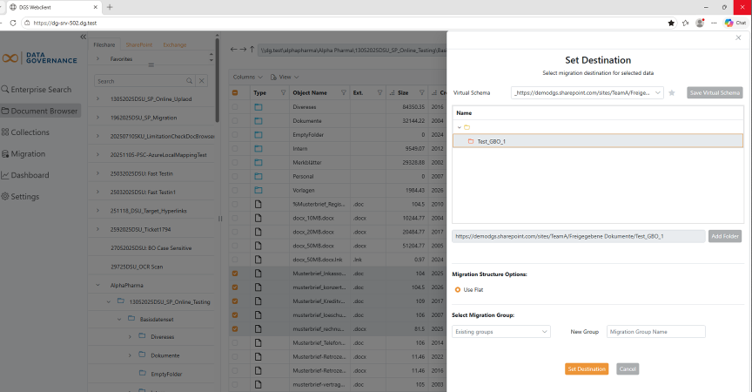
The DataGovernance Suite (DGS) enables organisations to prepare data for migration in a structured and controlled manner, whether migrating files within a file server, between file servers, to SharePoint, or between Microsoft 365 tenants. The solution supports both migration planning and preparation, as well as the controlled execution of migration projects, helping to reduce risk, improve data quality and ensure a smooth transition.
Using the web client, business users can prepare their own data for migration without IT involvement. They simply select the files to be migrated and assign them to a predefined destination. This empowers business teams to organise and clean up their data before migration.
Users can also extend the target folder structure where required and organise their data in line with predefined governance policies and migration standards. Once preparation is complete, the selected data is assigned to a migration group. These migration groups provide the foundation for a controlled migration process.